Getting onto your course after you’ve booked
Booked onto Simply Tarot Course? Here's how everything reaches you, because it comes in through two doors.
The live sessions. Shortly before the course starts, the links to join every session appear in your account, alongside your other bookings. They're in the Simply Tarot hub too, which is the easiest place to join from.
Everything else. Booking the course also gives you Simply Tarot Membership and the Simply Tarot hub, and that's where most of it lives. Your place comes with three months of membership built in, so you're not just getting the sessions, you're getting the whole library alongside them.
Your course in the hub
- In the Simply Tarot hub, your course is at the top of the front page while it's running. Press Course on the menu along the bottom for its own page.
- The next session's at the top, with Join from and the time, which turns into Join the session 10 minutes before it starts. Copy the link and Add it to your calendar are there too.
- Under that is every session, with Watch and Homework on the ones that have been. Every session is recorded and goes up there afterwards.
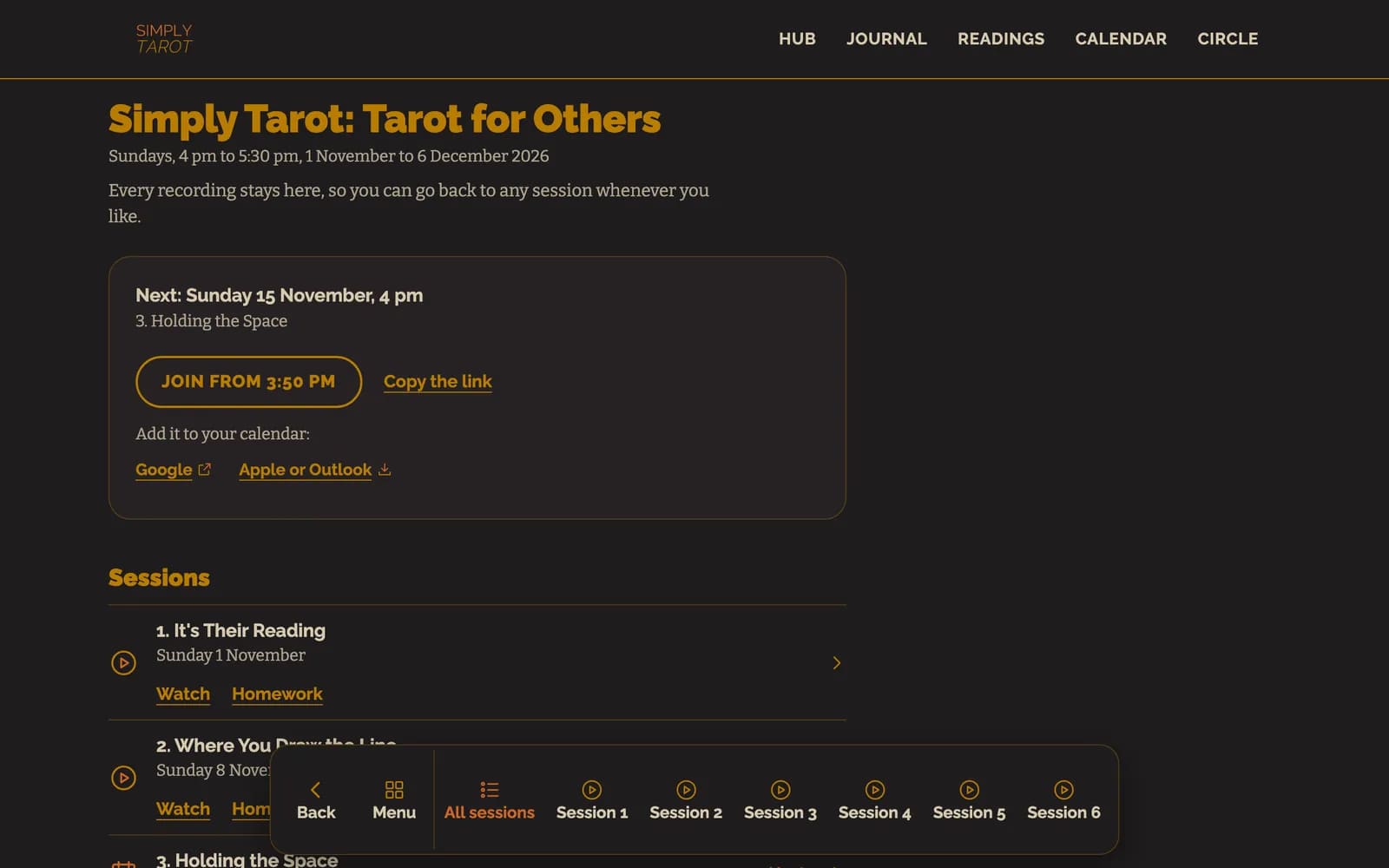
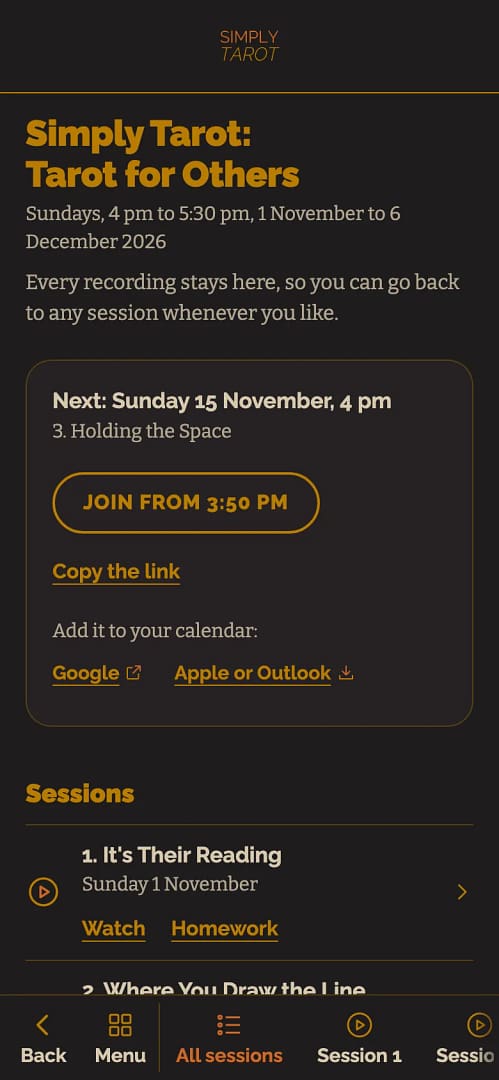
- Tap a session for its own page: the recording, what it was about, its homework, that session's modules and, once it's ready, the transcript. The menu along the bottom has All sessions and each session by number, so you can go straight to any of them.
After the last session. Your course moves to its own panel under the widgets on the hub's front page, with its recordings and homework. That's where you fill in the course feedback, and once you've sent it, your certificate for Simply Tarot Course unlocks there too.
Your profile's flagged to your particular course, so the right bits show up for you and you're not wading through stuff that isn't yours. If you can't find something in the run-up, don't stew on it, just get in touch.
Still looking for an answer? Get in touch and I'll sort it.
