Using the Calendar
This is a members' feature. Join Simply Tarot to use it.
The Calendar puts everything with a date in one place: the readings you've saved and the noticings you've done, your recurring readings, Simply Tarot Circle, your sessions if you're on Simply Tarot Course, and anything you've booked with me on the site.
- In the Simply Tarot hub, press Calendar on the menu along the bottom. On a computer it's along the top as well.
- It opens on this month with today ringed, and a dot under a day means there's something on it. Use the arrows either side of the month, or slide your finger across the days, to go back or forward, and Today brings you back to this month.
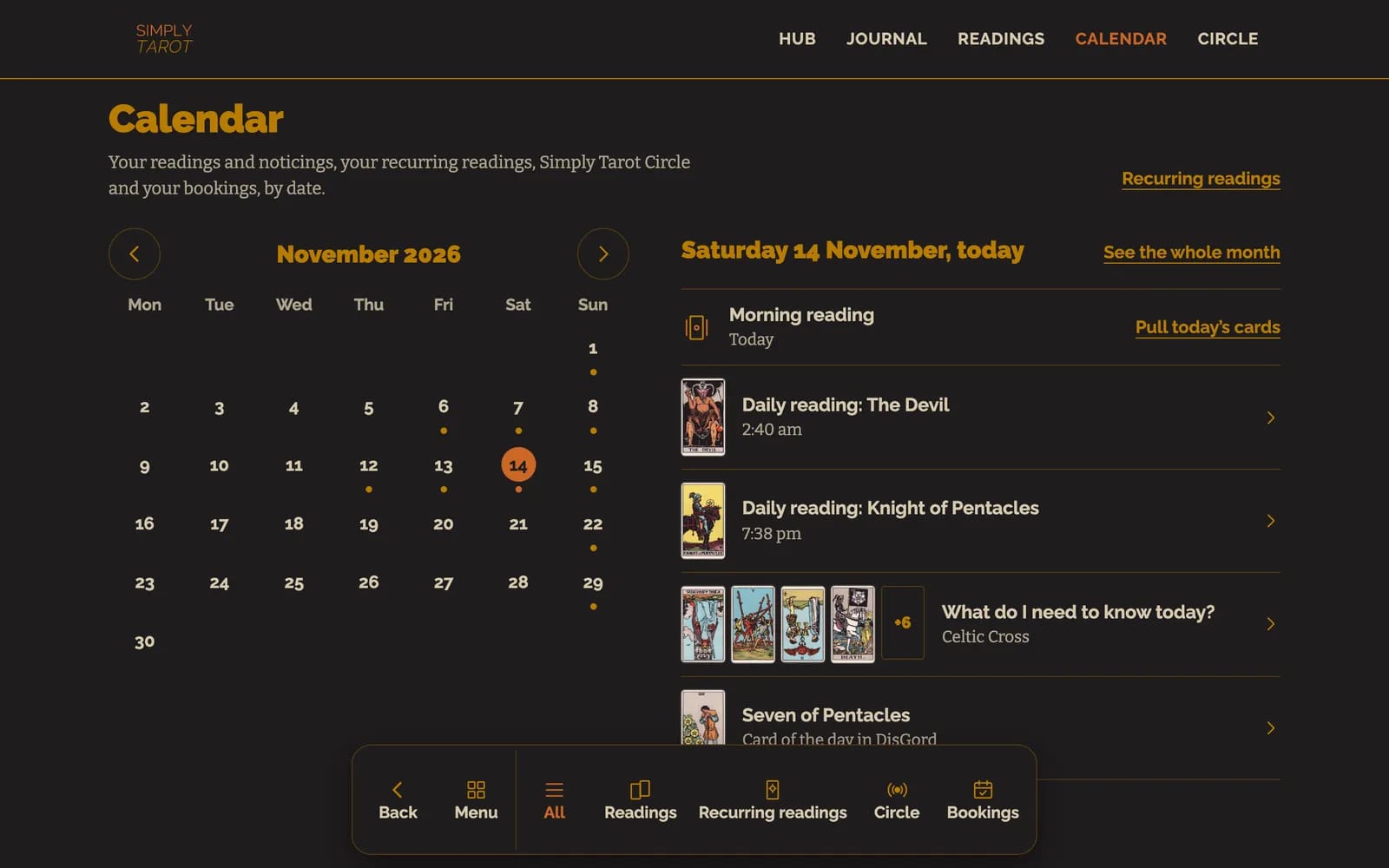

- Tap a day to see what's on it. Tap a reading or a noticing to open it, a Circle or a course session to watch it back, or a booking to see it in your account. A recurring reading that's due today has Pull today's card right there, and coming days show the ones still to come. See the whole month lists the whole month, day by day.
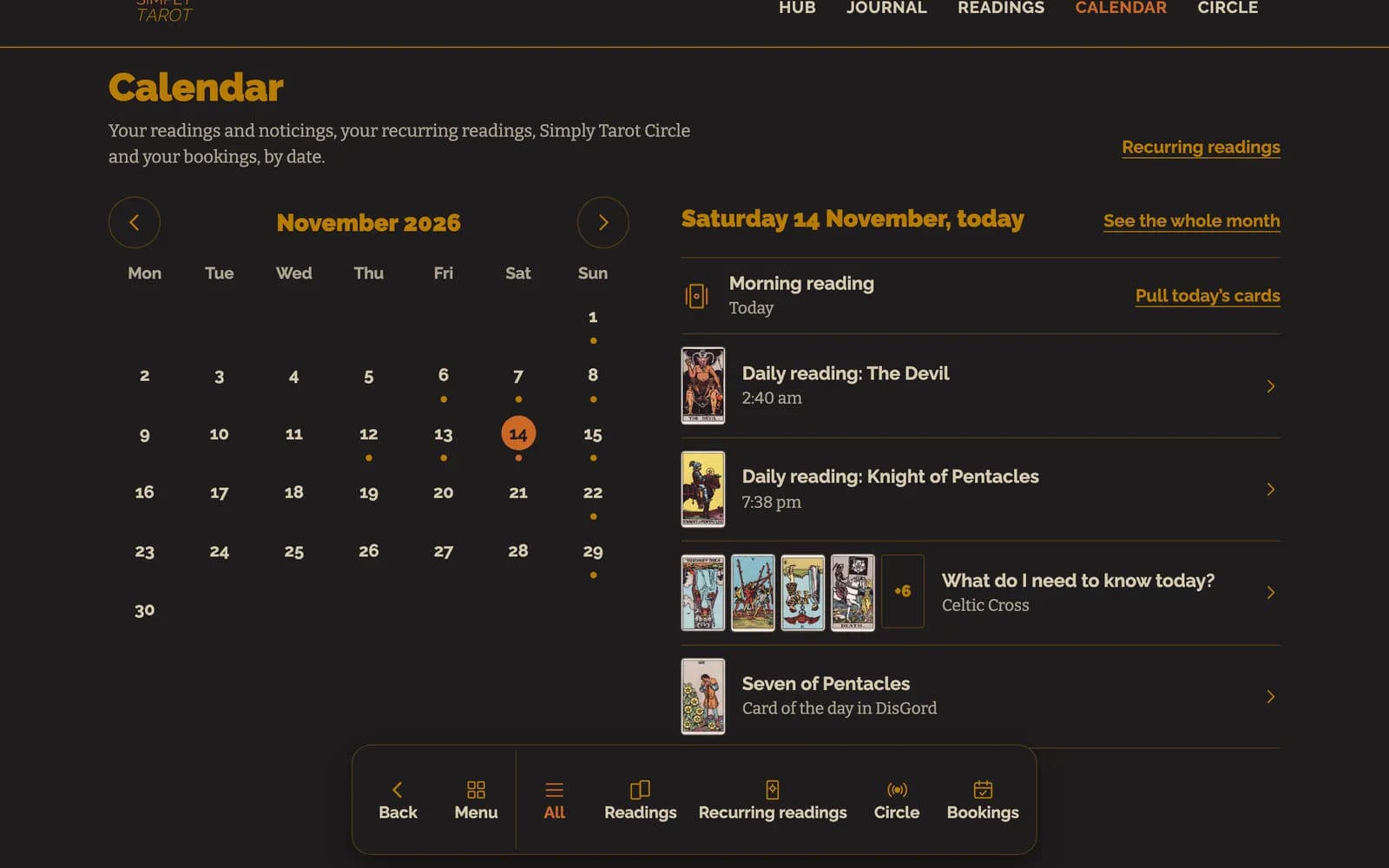

- The buttons along the bottom show one kind of thing at a time: All, Readings, Recurring readings, Circles and course and Bookings. If you're not on Simply Tarot Course, Circles and course just says Circle.
Good to know
- Every time is in your own time zone, the one you've set in your account, or your phone or computer's if you haven't set one.
- A reading goes on the date you gave it when you recorded it, so a reading you record the next day still lands on the day you did it.
- Bookings are the readings and events you've booked on the site with the same email address as your account.
- The card of the day from Tarot with DisGord is in there too, at the bottom of each day under All, and tapping it opens that card in Simply Tarot Journal.
A nudge to do your monthly reading
If you'd like a reminder to do a monthly reading, go to Settings on the menu and switch on Remind me to do my monthly reading, under On your Hub. From the 1st to the 7th of each month there's a widget at the top of your hub with the Month Ahead spread ready to go. Start it opens the Reading Recorder on that spread, and Not this month puts it away until next month. It's only ever on your hub. Nothing is emailed.
The readings in these pictures belong to a made-up person I use for examples. They aren't a real member's.
Still looking for an answer? Get in touch and I'll sort it.
