
Table of Contents
There were two things about my readings that had been bugging me for ages.
The first only happened online. I’d pull a card, hold it up to the camera and point at the bit I was talking about, and the whole time I’d be squinting at a tiny picture of myself, trying to work out whether you could see the card or just a blurry blob with my thumb on it.
The second happened whether you were sat across the table from me or on the other side of a screen. I always wanted to send people a picture of their cards and a summary of what we’d talked about, so they had something to go back to. I even offered it as a paid add-on for a while. But putting it together afterwards was such a clunky thing that I’d sit down to it begrudgingly, and with my ADHD I just couldn’t do it consistently. Something I wanted every client to have ended up being the thing I dreaded.
So I made something to fix both, and the reason it’s worked is that it fits around my readings rather than the other way round.
Two Things I’d Been Toying With
This didn’t start as a plan. It came out of two things I’d been playing about with separately, and it only worked once I joined them together.
The Reading Recorder
When I was learning tarot, I kept a notebook of my readings: the date, the question, the cards, what I made of them. I built the Reading Recorder to fill that gap, so people practising could record their own readings and reflect on them afterwards. It was always meant for looking back on a reading, though, not for using while you’re pulling the cards.
When I tried using it in a reading, it felt really clunky. There were menus everywhere, and you can’t be faffing about with menus when someone’s sat waiting for you to turn the next card. So I made picking the cards something I can do quickly, without anybody noticing me doing it.
Cards on the screen
At the same time I’d been working out how to get cards onto the screen, for my readings and for teaching on my course. Once I figured out how to put a picture of a card up over the top of my face, I started playing around with it, and that’s how the two things ended up joined together. None of it was planned. It all came out of me messing about to see what I could do.
And joining them is what made it work.
What That Means for Your Reading
The cards, clear on the screen
When you have an online reading with me now, the cards go up on the screen, big and clear. I can show you whichever card I’m talking about without holding it up to the camera, I can put several up at once without worrying about dropping them, and you can see the whole reading laid out as we go.
A lot of the people who get readings from me read tarot themselves, so I’m hoping you’ll like that one. You can actually look at the cards with me rather than taking my word for what’s on them.
The same reading, written down
Whether you’re with me in person or online, I’ve got my iPad there with everything I need in front of me: the details of your booking and the question you’ve come with.
The reading itself hasn’t changed. I’ve always asked people to tell me what they’re here for and then we narrow it down to a question. I’ve always asked at the end whether it’s been helpful, what you’re taking away and what you’re going to do differently. The only difference is that now I write it all down.
And a copy for you
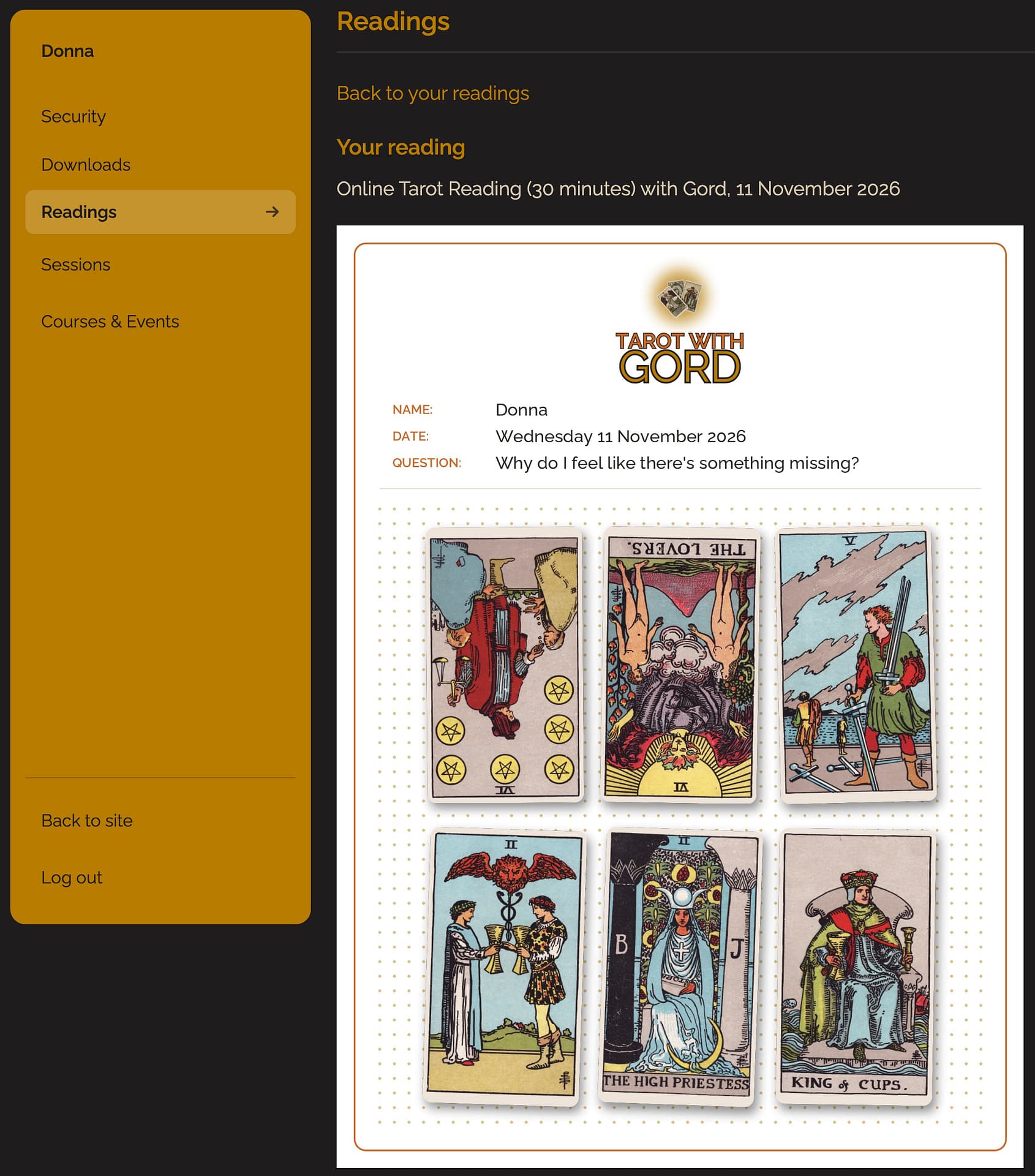
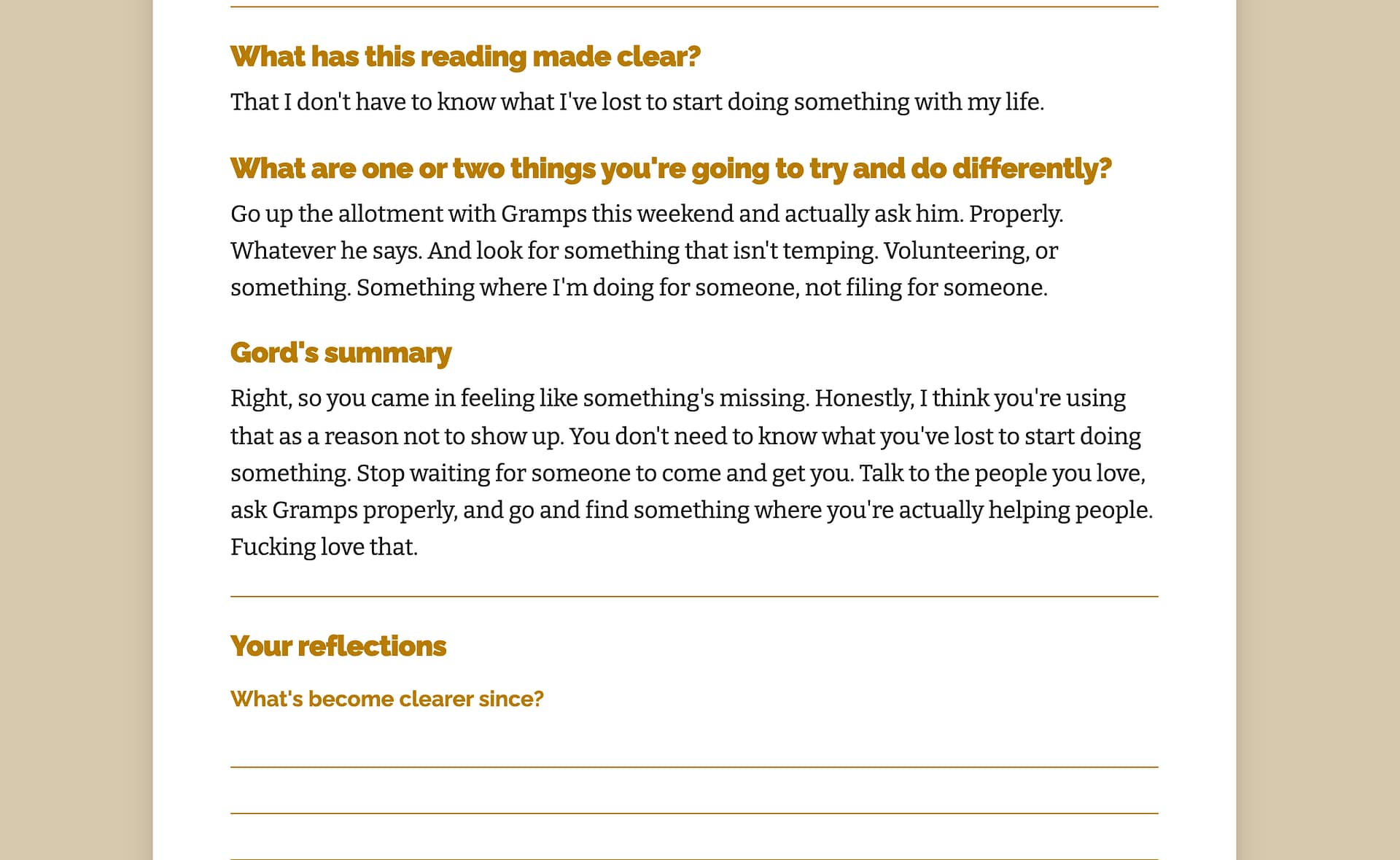
At the end, the cards are already saved. I add your answers to those last questions and a quick summary of what we talked about, and it all goes to you in an email. It’s saved in your account on my site as well, so it’s there whenever you want to go back to it: a picture of your cards, your question, what you said the reading made clear, what you’re going to do differently, and my summary.
There’s a journaling page too, with all of that on it and space underneath to write how things have gone since, which you can print off or save. A little while later there’s a check-in email. So the thing I used to dread is now just part of the reading, and you get it every time.
And you don’t have to have any of it
None of this is compulsory. If you’d rather I held the cards up, or you don’t want the email afterwards, just tell me, before the reading or at any point during it, and that’s completely fine.
But even if not a single card goes up on the screen, the reading’s still better for all of this. I’ve got your booking and your question in front of me from the start, and I’m writing down what matters as we go rather than trying to remember it all afterwards. That’s made it a better experience for everybody, whichever bits you want.
A Better Reading Recorder for Everyone
Because I rebuilt the Reading Recorder to be quick enough to use in a real reading, the version everyone else uses got better too. The one I use has a couple of extras, like putting the cards on the screen and the deck I read with, but the speed went into all of it.
What you can do with it for free
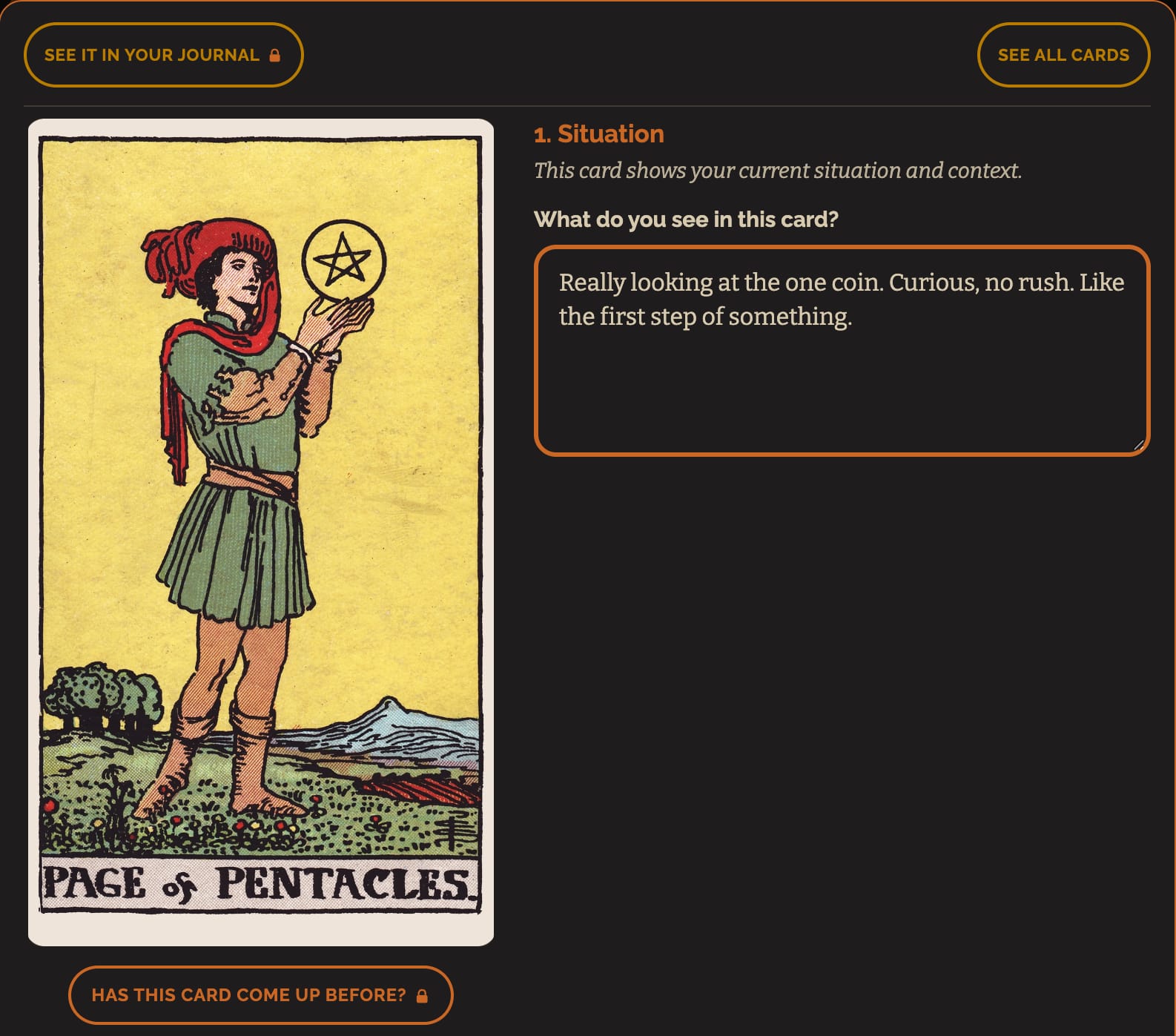
You pick a spread, or just lay your cards out in rows, and tap each card in. The top half of a card puts it in upright and the bottom half puts it in reversed. The cards deal onto the reading in their places, you can tap any one to fill the screen with it and write what you’re seeing, and when you’re done you get the whole thing written up and emailed to you, with a picture of your cards laid out at the top. It’s the same picture my clients get.
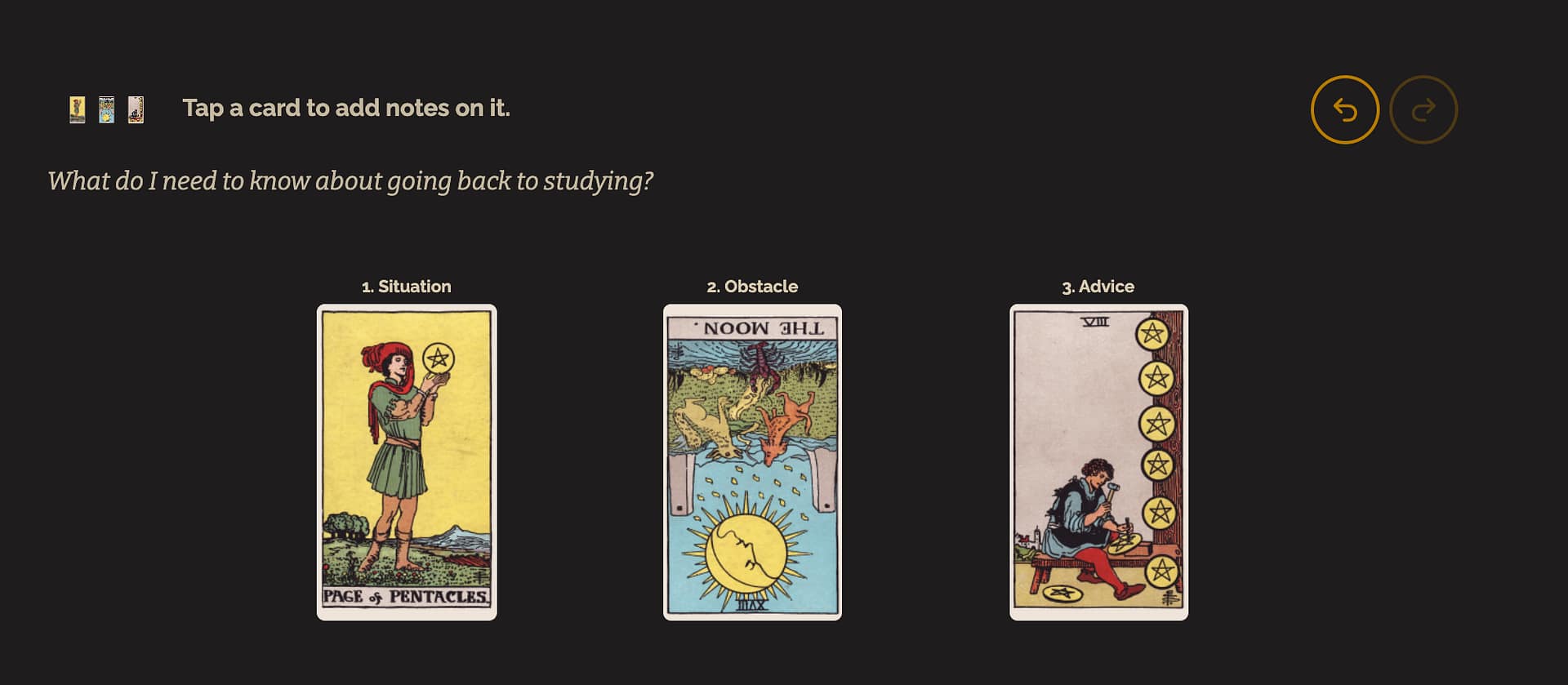
If you’re a member, your readings are saved in your journal, and the Recorder starts noticing things for you, like when two cards keep turning up together across your readings and what you wrote about them last time.
A Reading You Can Take Away
My goal behind all of this is to make tarot more accessible, and easier to feel like you can get to grips with, whether that’s in a reading with me or in your own readings at home. The thing I used to dread is now just part of every reading, and the tool I built for my own practice is there for you to use for free.
If you’d like a reading, you can book one here. And if you’re not already a member, Simply Tarot Membership is where your own readings get saved, for £15 a month.

Leave a Reply